
The “Task” Menu is Your New Planning BFF

By MK Emerson
what is a task menu?
Inspired by the common productivity model, Breaking Bigger Tasks into Smaller Ones. The intuitive approach is to simply make a menu of tasks, like you would for a restaurant.
Although I love this model, I’ve found flaws as a recovering over-planner. When we break bigger tasks into smaller action steps, we tend to place a self-imposed deadline, with a date and sometimes, a timestamp. Even if the main project or event has a deadline, the tasks within are best tackled intuitively, much like if you were choosing what to eat off a menu.
How to Use It
The word “Task” is meant to change. When you see a menu at a restaurant, you scan for categories. Perhaps you are into burgers, or maybe desserts. This is how you navigate a menu and it makes it much easier. Throw every food item together on one list, well, you’d get overwhelmed.
So, change the word Task out and name it whatever you’d like. For this example, we are going to name our menu: Blog Menu. Can you guess what it’ll contain?
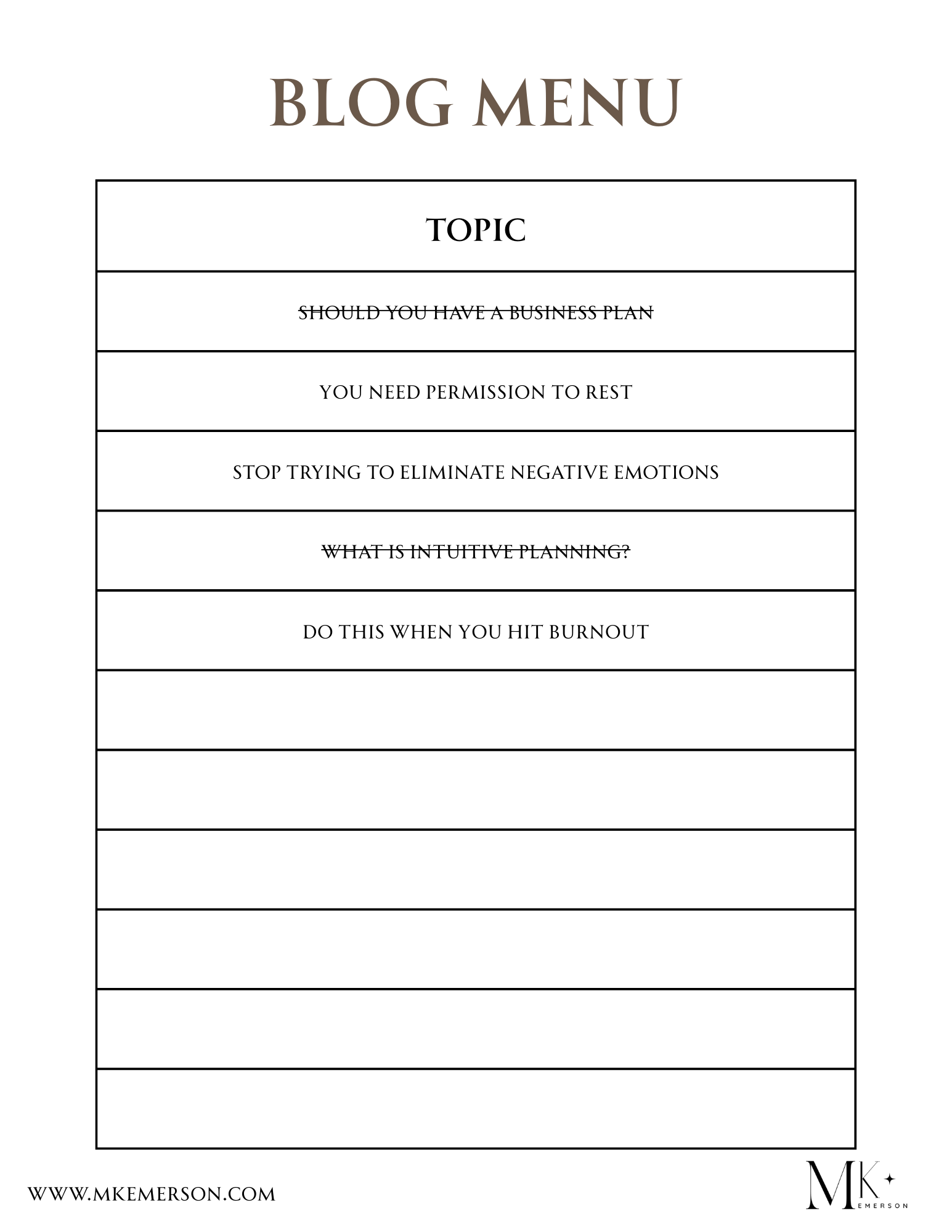
It contains a list of blog topics I’d like to write about, but get overwhelmed thinking about them all. So, I write the ideas here. When they are done I can delete them, or as you see, cross them off. There is no time or date or order I follow. When we’re intuitive, we don’t follow an order. When the mood strikes for me to write - because that’s alignment - I come to this list and intuitively sense which one I know I am most excited to write about.
You can use the task menu for anything
Let’s say you have a wedding to plan. You’d call the list something like, “Wedding Menu” and will list out all the things you need to do to get this wedding prepped without stress. You could list out:
Cake tasting
Try on dresses
Book venue
Scope out florists
Find a photographer
Let’s practice a little intuition, shall we? When you look at this list, which do you think is the most important? I’ll wait a moment…
That’s right! Booking a venue. Those spots get taken up fast and there are usually only so many choices compared to bakers, gowns, florists, and photographers. Where you have your wedding is limited, so you will feel that nagging pressure to get it done ASAP. Can you identify the second most important step? Probably the dresses. They require time to get tailored.
Once that’s done, you can return to the list and sense what is next in line.
That Nagging Stressor is Everything
Imagine if you didn’t have this list, or if you put extreme pressure on yourself and placed a date and time of when to do each of these? Cue overwhelm! That’s how Bride-zillas are born.
Instead, here we have an effortless list with minimal words, plenty of white space, and you only have to go inside and feel what the next step is. And when it comes to planning events like weddings, you’re going to feel a fire under your booty.
That fire, that nag, is exactly how you know what to work on next. The greatest thing you can do is listen to it and relieve it by taking action. Focus on what one thing is making you feel that more than anything else.
The fact that it’s on a list now means you have it out of your head. This makes it easier to know exactly which one is causing the most anxiety in you. But if it’s all in your head, or worse, all meticulous with time pressure, you’re going to have a hard time knowing which one is screaming at you to get done. Because they’re all screaming at you when they are cooped up in your mind!
How to add to the list
You probably already know the answer to this. The beauty of having all these things listed out, and out of your mind, is that you now can freely take a new idea and place it in, no order. Just put it on the list in the next row.
But let’s say you didn’t have this list. You’re already overwhelmed with all the things you need to do, and now there’s another thing to worry about? No, thank you.
Ways you can create menus
You can use a template on Canva that has a table. You can have a Google doc set up. Or you can take my approach and keep a mini notebook that stores it all. I love journals and notebooks, so I have one for every menu, color-coded. But, my brother loves to makes list in his Notes app on his phone. Which I now use for my grocery list menu because I tend to lose my little papers of foods to buy.
Find the way that is practical for you. But the one thing to take home is this:
Do not put a date or time near it! This list is time free. If you have an appointment set up, like a dress fitting, then put it in your planner. Just keep this menu free from any pressure.
If you’d like more suggestions or have any questions, let me know. Get in touch with me. I’m happy to help.
MK